

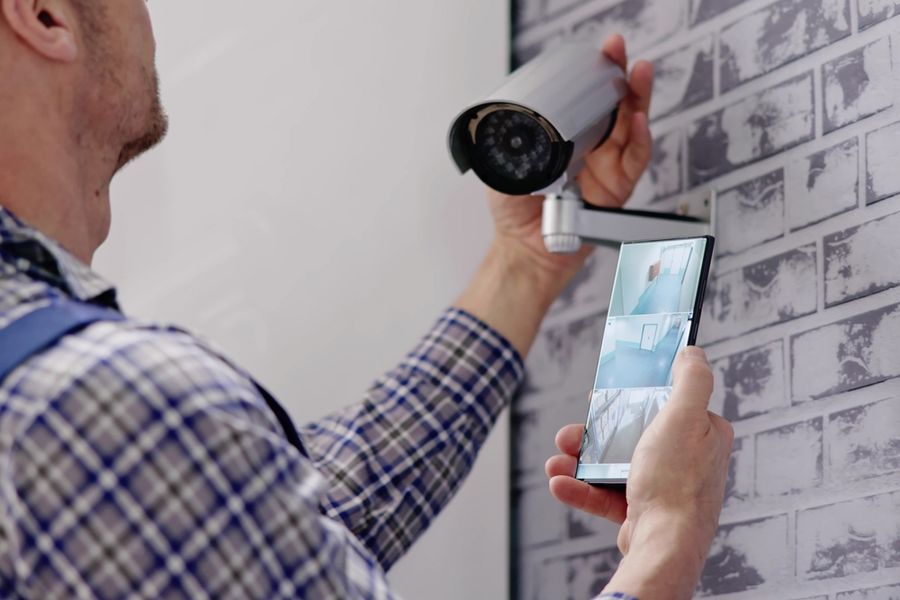
Home security cameras have become a common way to protect people and property in the United States. With more options on the market than ever before, one key choice homeowners face is how footage is stored. Some cameras save video locally, while others rely entirely on cloud storage. Each method has advantages and limitations, and choosing the right one depends on your priorities, including privacy, access, and long-term use.
How Local Storage Works in Security Cameras
Local storage means video footage is saved directly to a device in your home. This can be a microSD card inside the camera, a base station that sits in a closet or utility room, or a networked recorder that stores videos on your local network. The main idea is that you keep control of the data physically and do not have to send it over the internet.
Because footage is nearby, local storage can work even when internet service is down. Some homeowners value this because it provides constant recording without reliance on an external provider. Local storage also avoids ongoing storage fees that often come with cloud plans, which can reduce long-term costs.
However, local storage does require a plan for backup and retrieval. If the camera or recorder is damaged or stolen, the footage could be lost. Managing storage space is also important, because microSD cards and local drives fill up over time, which means older videos are overwritten unless you move or archive them manually.
What Cloud-Only Models Offer
Cloud-only storage means footage is sent over the internet to servers managed by the camera brand or a third-party provider. When motion is detected or video is triggered, the footage is uploaded and stored remotely. Users typically access recorded clips through an app or website.
Cloud storage has clear advantages for remote access and sharing. Because video is stored offsite, you can view clips from anywhere via an internet connection, which makes it easier to check in when you are away from home. Many cloud systems also include automatic backups and redundancy, reducing the risk that footage will disappear if a device fails.
Another benefit of cloud storage is that the provider may offer additional tools, such as alert summaries, motion zones, and simple ways to download or share clips. These cloud features can make it easier for homeowners to manage and organize recordings without handling physical storage.
The tradeoff is that many cloud plans come with ongoing fees. Some brands include a limited trial period and then require a subscription to retain clips for more than a few days. This recurring cost can add up if you have multiple cameras or want longer video history.
Comparing Privacy and Security Considerations
Privacy is an important factor when deciding between local and cloud storage. With local storage, your video stays within your home network. Because footage does not leave your property, there is less exposure to external servers that could potentially be accessed by others if security is compromised. For people who prioritize data control and minimal external access, local storage may feel more secure.
Cloud storage means that your footage passes through and is stored by an external provider. Most reputable services use encryption and secure data centers, but storing video offsite still involves trusting a company with sensitive information. Some homeowners may feel uneasy about this, especially if the camera captures private areas around doors and windows.
The level of privacy concern depends on how the cloud service manages data, whether two-factor authentication is available, and how easily you can control who has access. Many cloud services offer user controls and security settings that allow homeowners to limit exposure, but the principle remains that data is stored outside the home.
Access and Convenience for Everyday Use
For many people, convenience determines the choice between local and cloud storage. Cloud-only models make it easy to see footage instantly on a phone or tablet, share clips with family members, or send recordings to others when needed. This can be especially useful during travel, when you want real-time visibility into your home.
Local storage can also support remote access, but it may require a home server, network setup, or a camera system that supports remote viewing. Not all local storage systems have simple remote access built in, which means you may need additional steps to view footage when away from home.
Another part of convenience is how footage is organized and searched. Cloud interfaces often include built-in tools for filtering by date, motion event type, or specific camera. Local systems may require manual sorting or exporting files to another device for organization. If ease of access and simple search are priorities, cloud storage may have an edge.
Resilience and Reliability in Different Scenarios
Resilience refers to how well your system continues to record and store video under real-world conditions. Local storage tends to be more reliable when internet service is unreliable. If your internet goes down, local storage devices can continue to capture and retain footage.
Cloud models depend on an internet connection. If service is interrupted, footage may not upload until the connection returns. Some cloud systems temporarily store video on the camera until the connection is restored, but this varies by model.
Another reliability concern is power loss. Some local systems can be connected to backup power or a home network that continues operating during an outage. Cloud systems rely on internet connectivity, which may not be restored quickly after disruptions.
Choosing the Right Storage for Your Needs
Choosing between local storage and cloud-only models for home security cameras depends on what you value most. Local storage gives you direct control of data and reliability during internet outages, while cloud storage offers accessibility and organized remote viewing.
Privacy concerns may lead some homeowners toward local systems, while others appreciate the convenience of cloud features and automatic backups. By thinking through your priorities — control, access, privacy, and reliability — you can select a camera system that supports both security and daily peace of mind.